Restore, colorize, and repair damaged vintage photographs in seconds. A production-ready, self-hostable Next.js SaaS boilerplate that turns scratched, faded, black-and-white, or torn family archives into high-definition digital masterpieces. A free open-source alternative to Remini, MyHeritage Deep Nostalgia, and Photomyne — powered by the MuAPI AI engine.
Tech stack: Next.js 14 (App Router) · Prisma · PostgreSQL · NextAuth (Google OAuth) · Stripe · Tailwind CSS · MuAPI Use cases: Family photo restoration · Genealogy research · Black-and-white-to-color colorization · Scratch & tear repair · Historical archive enhancement · Old portrait revival

old-photo-restore.mp4
GitHub Repository: github.com/SamurAIGPT/old-photo-restore
Sign in with Google to upload damaged photos, select restoration prompt presets, see real-time before/after comparison, and manage your historical archive.
Old Photo Restore is a production-ready, highly-optimized AI web application. Out of the box, it seamlessly manages User Authentication, Credits & Billing, Image Persistence, and asynchronous AI generation polling using a sleek Next.js (App Router) architecture. It empowers historians, archivists, and everyday users to turn aged, faded, and torn physical photograph scans into high-definition digital masterpieces.
Why use Old Photo Restore?
- Production-Ready SaaS — Complete with Google OAuth and Stripe Checkout workflows built-in.
- Before/After Interactive Comparison — A built-in drag-slider allows users to compare original and restored images dynamically in real-time.
- Historical Gallery — All creations are securely persisted to a PostgreSQL database for a custom user archive.
- Responsive & Constrained UX — Layout height constraints prevent page overflow, creating an elegant webapp interface that scrolls properly on both desktop and mobile.
- Extensible API — Easily swap or adapt underlying model features without breaking layout styling.
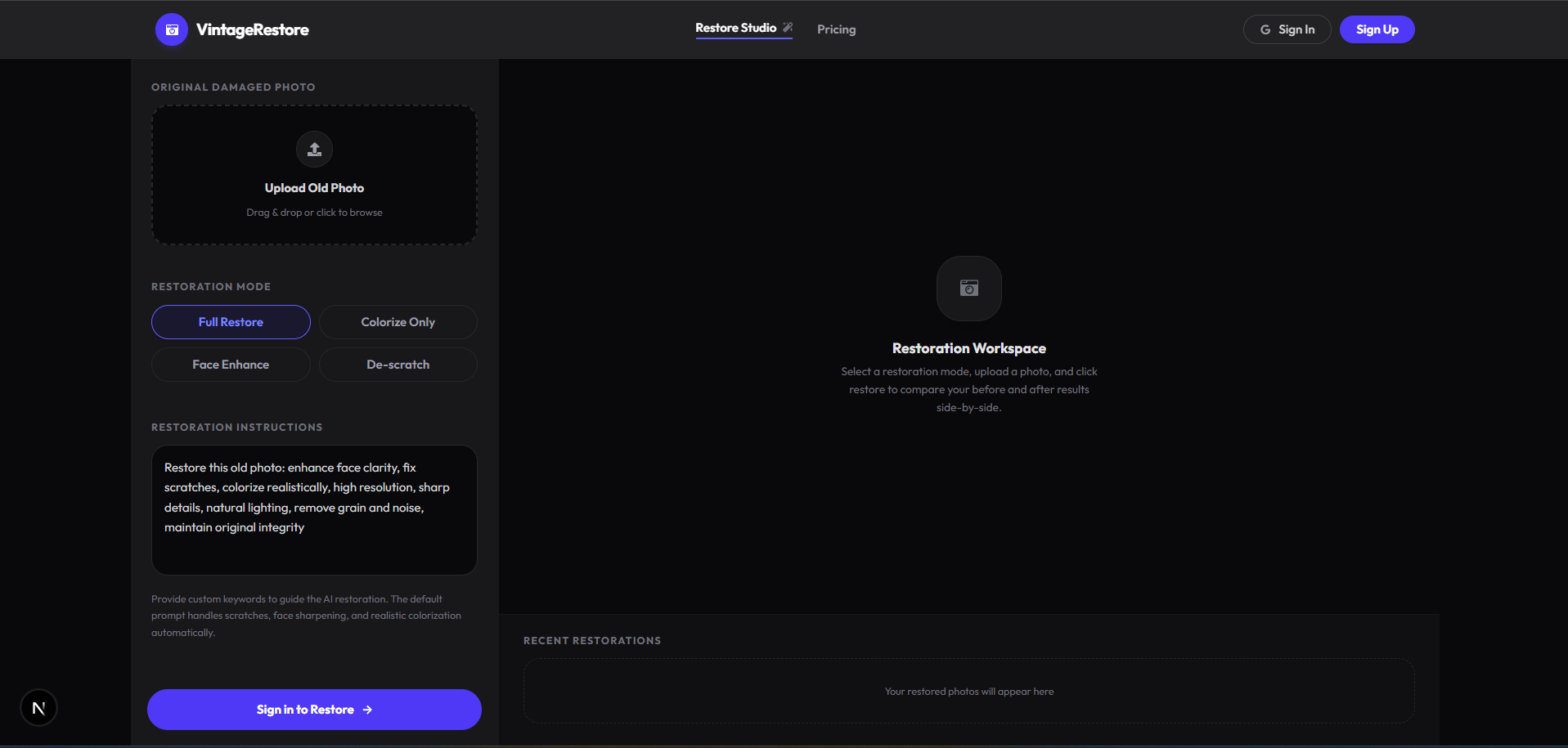
- Advanced Restoration Studio — Restore faded, scratched, or noisy photograph scans into sharp, high-definition images using state-of-the-art AI.
- Restoration Modes Support — Configure custom instructions to colorize black-and-white photos, enhance face details, or repair scratches.
- Comparison Slider UI — Fluid interactive slider showing the side-by-side comparison of the original damaged image versus the final output.
- My Creations Archive — A dedicated history vault for logged-in users. Displays past restorations securely fetched from the database, viewable in a detailed inspector panel with 1-click downloads.
- Credit Tiers & Billing — Complete Stripe integration. Standard Pack ($5.00) offers 1,000 credits and Pro Pack ($10.00) offers 2,000 credits (exchanging at a high-value rate of $1 = 200 credits). Each photo restoration costs exactly 18 credits.
- Premium Darkroom UI — Styled with dark zinc background, charcoal-bordered components, Outfit typography, and quick project switching capabilities.
This architecture is engineered explicitly for Vercel serverless environments.
To successfully deploy and run, you must populate the following environment variables in your Vercel project settings:
| Service | Variable | Description & Source |
|---|---|---|
| Database | DATABASE_URL |
PostgreSQL connection string (Supabase or Neon) |
DIRECT_URL |
Direct DB connection for Prisma migrations | |
| NextAuth / Google | NEXTAUTH_SECRET |
Secure random string generated via openssl rand -base64 32 |
NEXTAUTH_URL |
Your production domain (e.g. https://my-app.vercel.app) |
|
GOOGLE_CLIENT_ID |
Get from Google Cloud Console | |
GOOGLE_CLIENT_SECRET |
Get from Google Cloud Console | |
| Stripe Billing | STRIPE_SECRET_KEY |
Get from Stripe Dashboard |
NEXT_PUBLIC_STRIPE_PUBLISHABLE_KEY |
Get from Stripe Dashboard | |
STRIPE_WEBHOOK_SECRET |
Webhook secret for resolving credit purchases | |
| AI Generator | MUAPIAPP_API_KEY |
Create an account and get key from muapi.ai/access-keys |
- Database Provisioning: Create a new Postgres database (via free tiers on Vercel Postgres, Supabase, or Neon). Retrieve the connection strings.
- Project Creation: Import your GitHub fork into the Vercel dashboard.
- Configure Environment Variables: Copy the variables above into the Vercel project settings environment tab.
- Deploy: Hit "Deploy". Vercel will automatically run the build steps (
npm run build). - Database Push: Run
npx prisma db pushto generate the client and synchronize database models before launching.
- Node.js (v18 or higher)
- A local/cloud PostgreSQL instance.
# 1. Clone the repository
git clone https://github.com/SamurAIGPT/old-photo-restore
cd old-photo-restore

# 2. Install dependencies
npm install

# 3. Setup Environment
cp .env.example .env
# Open .env and insert your specific keys.

# 4. Initialize Database Schema
npx prisma generate
npx prisma db push

# 5. Start the Development Server
npm run dev
The console should now be active on http://localhost:3000.
old-photo-restore/
├── prisma/
│   └── schema.prisma           # Postgres tables: Users, Accounts, PhotoRestoration
├── src/
│   ├── app/                    # Next.js App Router
│   │   ├── api/                # Backend API Routes (Stripe, Auth, Uploads, Creations)
│   │   ├── pricing/            # Interactive tier and credit purchase view
│   │   └── page.js             # Main AI Restoration Darkroom Interface
│   ├── components/
│   │   └── saas/               # Reusable Modular UI Components
│   └── lib/
│       ├── prisma.js           # Shared ORM client singleton
│       └── config.js           # Application plans, endpoints, and configs
└── next.config.mjs             # Next Configuration
MIT Licensed.