








Community maintained game and app launch presets, with Sunshine as the primary consumer. Each game or app can have many presets. Native, GOG, and app commands target a chosen host OS. Steam, Epic Games, and Microsoft Store submissions use a launch ID to generate commands for their supported launcher OSes; emulator submissions use a portable command. Issue-backed presets use their GitHub issue numbers as stable IDs. Direct GameDB imports use the stable ID steam. Preset names use the game or app name; launch method, host OS, and optional emulator variant stay in separate fields.
Each GitHub issue requests one preset. Game requests must identify a GameDB record. App requests use a separate form and require a name and official source URL for maintainer review. A bot validates the request, and an authorized reviewer enters it into the approval queue. No code or pull request is needed to contribute.
The website shows games and apps with available presets. Each preset shows its launch method and host details as badges, its launch command, and a Sunshine application JSON export. The exported application name is the game or app name. Replace supported path placeholders with paths on your host. Review community commands before running them. Game cover images come from GameDB; app images are submitted as HTTPS URLs for the catalog. These image URLs are not used as Sunshine image-path values, which require local files.
The published JSON API contains index.json, games/<IGDB ID>.json, and apps/<app slug>.json. GameDB uses the same numeric game IDs as IGDB. An entry contains all its presets. Issue-backed presets receive the originating issue number as a stable string ID, such as "4". GameDB-imported Steam presets use "steam" and have no issue history. Records use schema version 2 with a command field or a commands_by_os map and an optional working_directory; the website builds Sunshine JSON from these generic fields. The migration workflow updates version 1 records on the database branch; site and approval reads also convert them during the rollout.
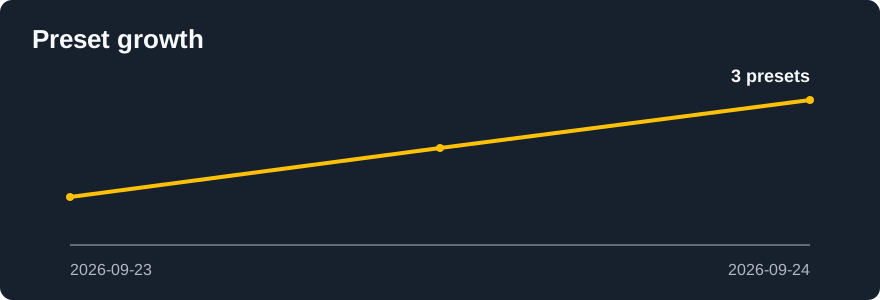
The website publishes catalog statistics with game, app, preset, and contribution counts. The charts update from approved issue history whenever Pages is built.



- Read the preset guidelines. For a game, copy its IGDB game URL and choose a game method form. The bot resolves the URL slug to the IGDB numeric ID and checks GameDB. For another app, open an app preset request with its official URL.
- Fill in one launch option. Native and GOG forms ask for the host OS. Store forms ask only for the launch ID; the emulator form asks for a portable command and an optional variant name. The bot derives the issue title and preset name from the validated game or app name. App requests still ask for the host OS.
- The store forms share one Launch ID concept: a numeric Steam app ID, an Epic three-part launch ID, or a Microsoft Store AUMID. The bot generates OS-specific launch commands. Native, GOG, and Emulator forms ask for a Command. Validation and the website never execute commands.
- To replace an issue-backed preset, provide its issue number and explain the change. The bot preserves the original preset ID. Direct GameDB imports have no issue number and cannot be replaced through an issue.
ProtonDB compatibility summaries are attributed to ProtonDB contributors and published under the Open Database License. The website refreshes available tiers during its Pages build.
After validation, a listed trusted game contributor enters the approval queue automatically. Other requests wait for a listed approver or repository admin to comment @LizardByte-bot approve. App requests always require this separate review. The queue processes one approval at a time; see the approver guide and bot commands.
Supported path placeholders in manual Command and Working directory are {{ROM_PATH}} for emulator games and {{HOME}}; Windows also allows {{SYSTEM_DRIVE}}, {{PROGRAM_FILES}}, and {{PROGRAM_FILES_X86}}. Unknown placeholders, literal home directories, and Windows reserved device names are rejected. Literal commands still require maintainer review.
Game submissions resolve the submitted slug through IGDB authenticated API, then check the resolved ID and slug against the live GameDB JSON API. An unavailable or mismatched result blocks approval. App submissions have no GameDB counterpart and always need separate maintainer review. Steam generates Windows, Linux, and macOS commands (steam:// on Windows, setsid steam on Linux, and open on macOS); Epic Games generates Windows and macOS commands; Microsoft Store generates a Windows command. Launcher support does not prove that a particular game has a build for every OS, so reviewers should check availability. Steam presets link to ProtonDB and the website shows its Linux compatibility tier when available at build time. Compatibility reports are community data and do not block approval. Launcher ID commands may outlive Sunshine process tracking; the stream may need to be ended manually.
src/: issue parsing, validation, database updates, and site assembly.database/: starter database layout; approved records live on thedatabasebranch.gh-pages-template/: Jekyll pages and browser assets..github/workflows/: request validation, approval, tests, and Pages build.auto_approved_users.json: trusted approvers and game submitters eligible for automatic queueing..readthedocs.yaml: pull request preview builds using the shared LizardByte Jekyll script.
The GameDB Steam sync workflow runs daily at 07:00 UTC and can also be started manually. GameDB publishes its database on gh-pages, so the workflow reads that branch's PC game records and Steam external IDs. It writes eligible game files directly to the PresetDB database branch, with one file per commit and no issue or approval queue. Existing issue-backed Steam presets retain their numeric IDs, issue history, and contributor-managed launch values. GameDB changes to game metadata are synchronized; direct imports also receive Steam ID and command updates. Ambiguous Steam IDs are skipped. The job has a six-hour timeout; the next daily run skips unchanged files and continues the import.
On each push to master, the Migrate Database workflow checks database/migrations.json for completed migration IDs. Before applying pending migrations, it creates a database-backup-<pre-migration commit SHA> branch pointing to the untouched database. It then commits the migrated records and history file to the active database branch and triggers a fresh Pages build. Re-runs skip completed migrations. The backup branch is never used as the working database.
For pull requests, the Pages workflow applies pending migrations in its temporary database checkout before building the preview. It does not commit or push those preview changes. The Pages workflow creates an archive from the database and site template, then calls the same LizardByte Jekyll build workflow used by GameDB and ThemerrDB. It deploys to gh-pages after changes to master or an approved database update.
The empty database branch is initialized with database/apps and database/games. GitHub Pages serves the empty orphan gh-pages branch. Configure GH_BOT_TOKEN, GH_BOT_EMAIL, GH_BOT_NAME, TWITCH_CLIENT_ID, and TWITCH_CLIENT_SECRET as in the existing LizardByte database projects. GH_BOT_TOKEN needs issue, contents, and Actions write access to publish the database and dispatch the Pages build. The Twitch credentials resolve IGDB slugs; GameDB itself needs no credentials. The request, approval, and method labels are configured in the repository. Set the GitHub repository description to the heading description above. The database branch retains the database/ directory; approved records are written there.
Connect this repository to Read the Docs and enable pull request preview builds. Set GITHUB_WORKFLOW=call-jekyll-build / Build Jekyll, SITE_ARTIFACT=update.zip, and EXTRACT_ARCHIVE=build.zip in the Read the Docs project environment. The shared script downloads the Pages build artifact and extracts the nested site archive. See developer setup for local commands.
Run npm test and npm run lint. To assemble the site locally, run node src/build-site.js --database database --output site-build, then serve site-build with a static server.
AGPL-3.0-only. See LICENSE.