






A feature-rich, open source IPTV player for Windows built on Tauri v2 and mpv.
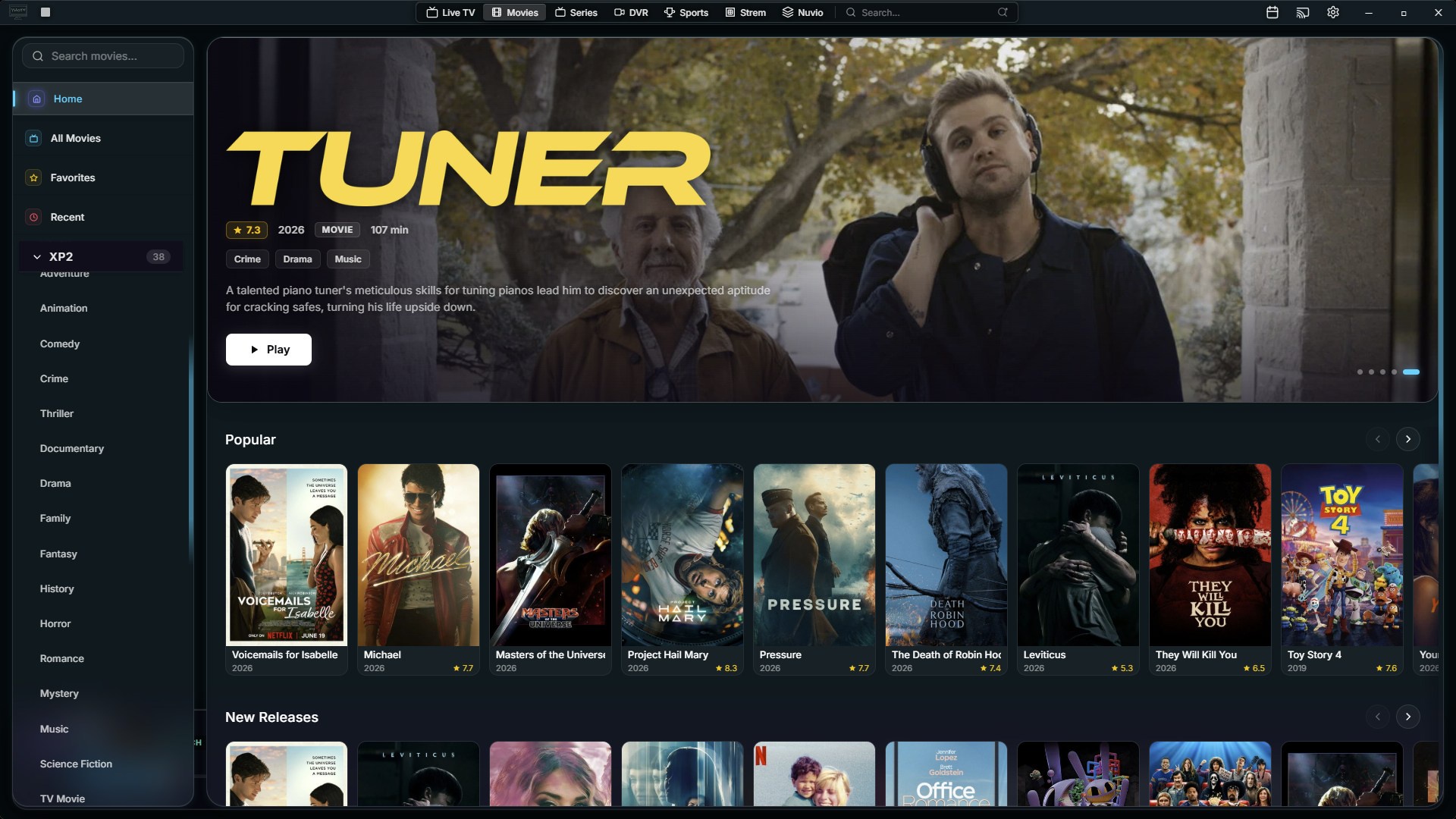
| EPG with preview | VOD |
|---|---|
 |
 |
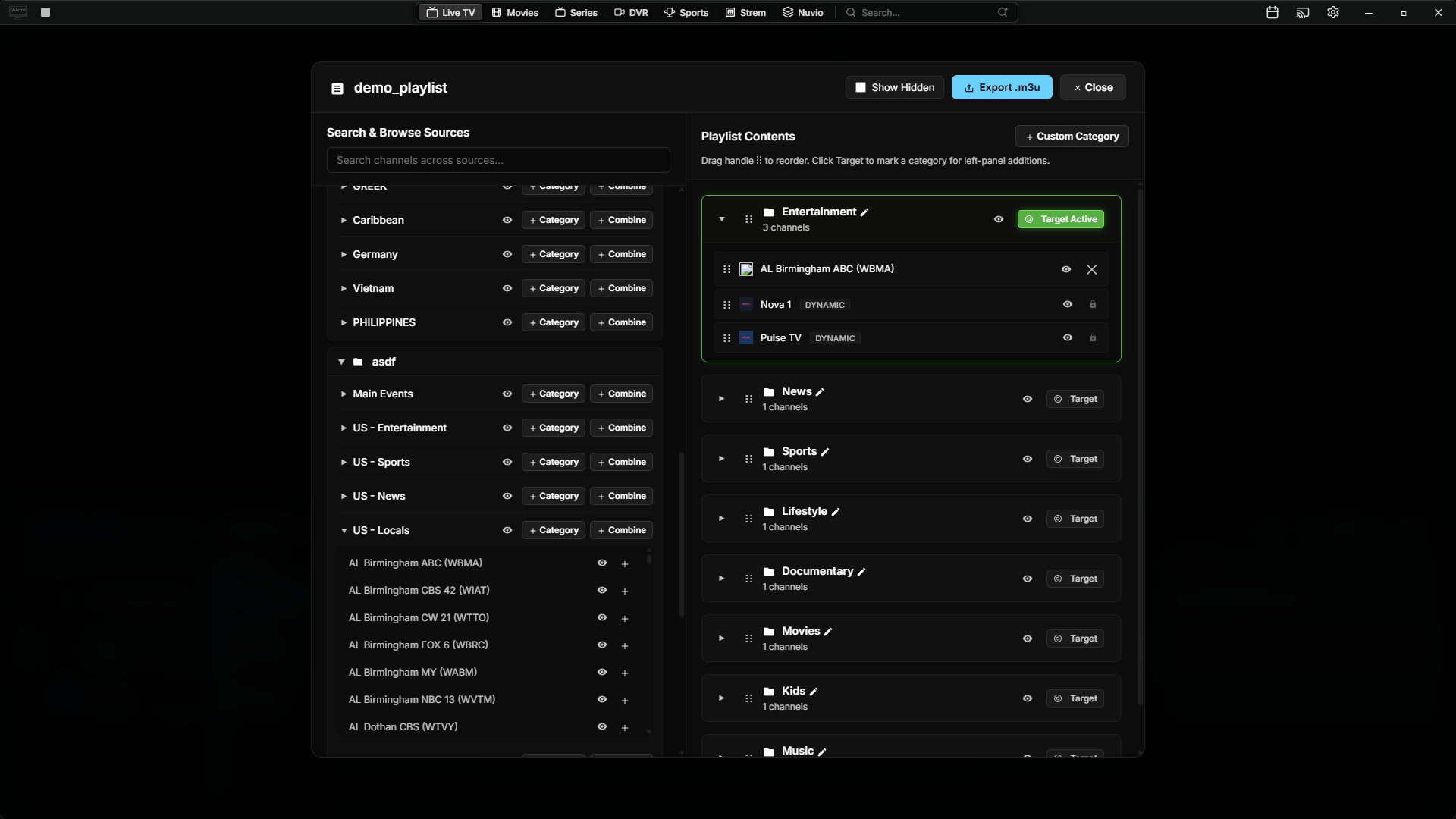
| Playlist Editor | EPG Editor |
 |
 |
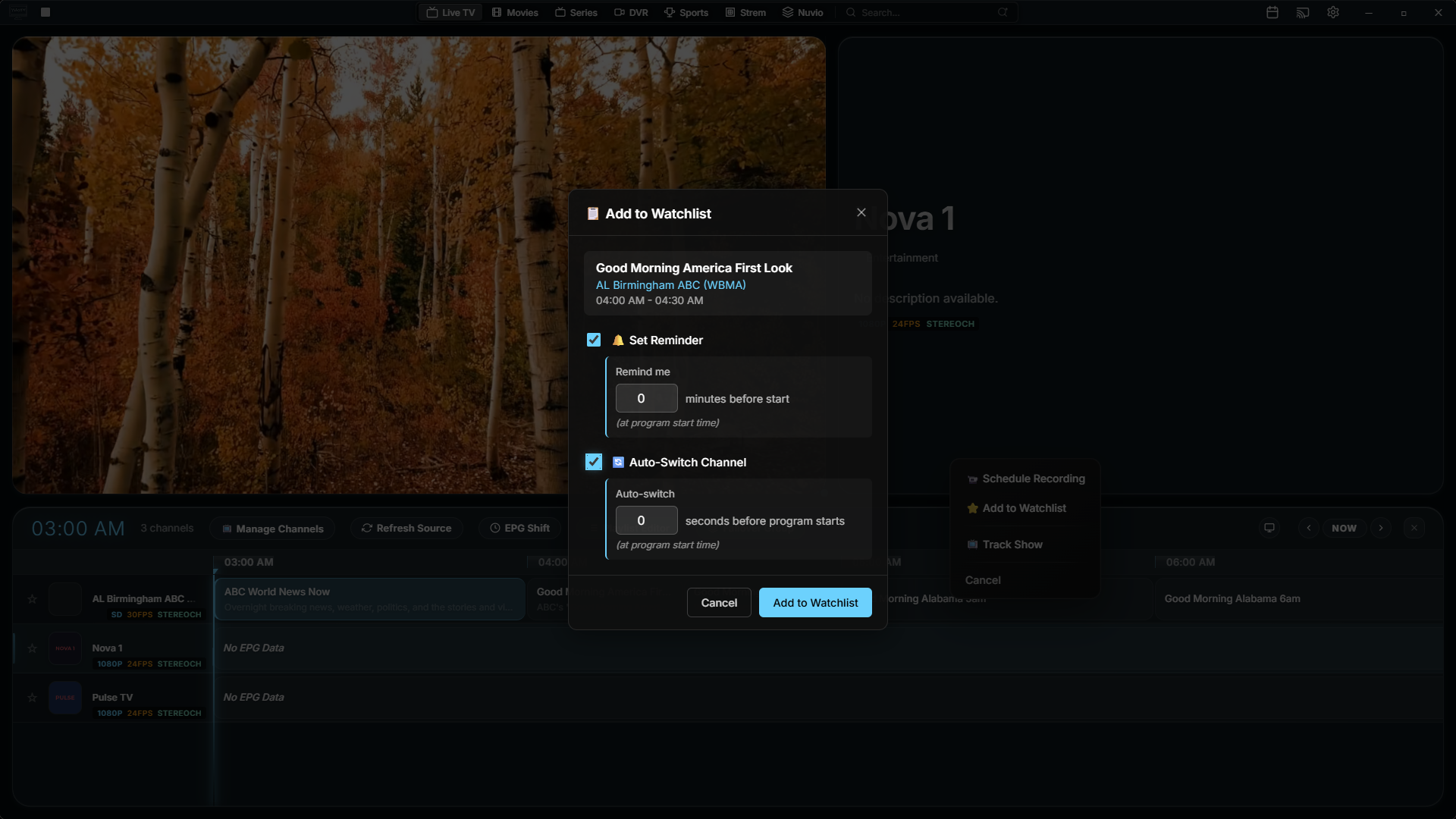
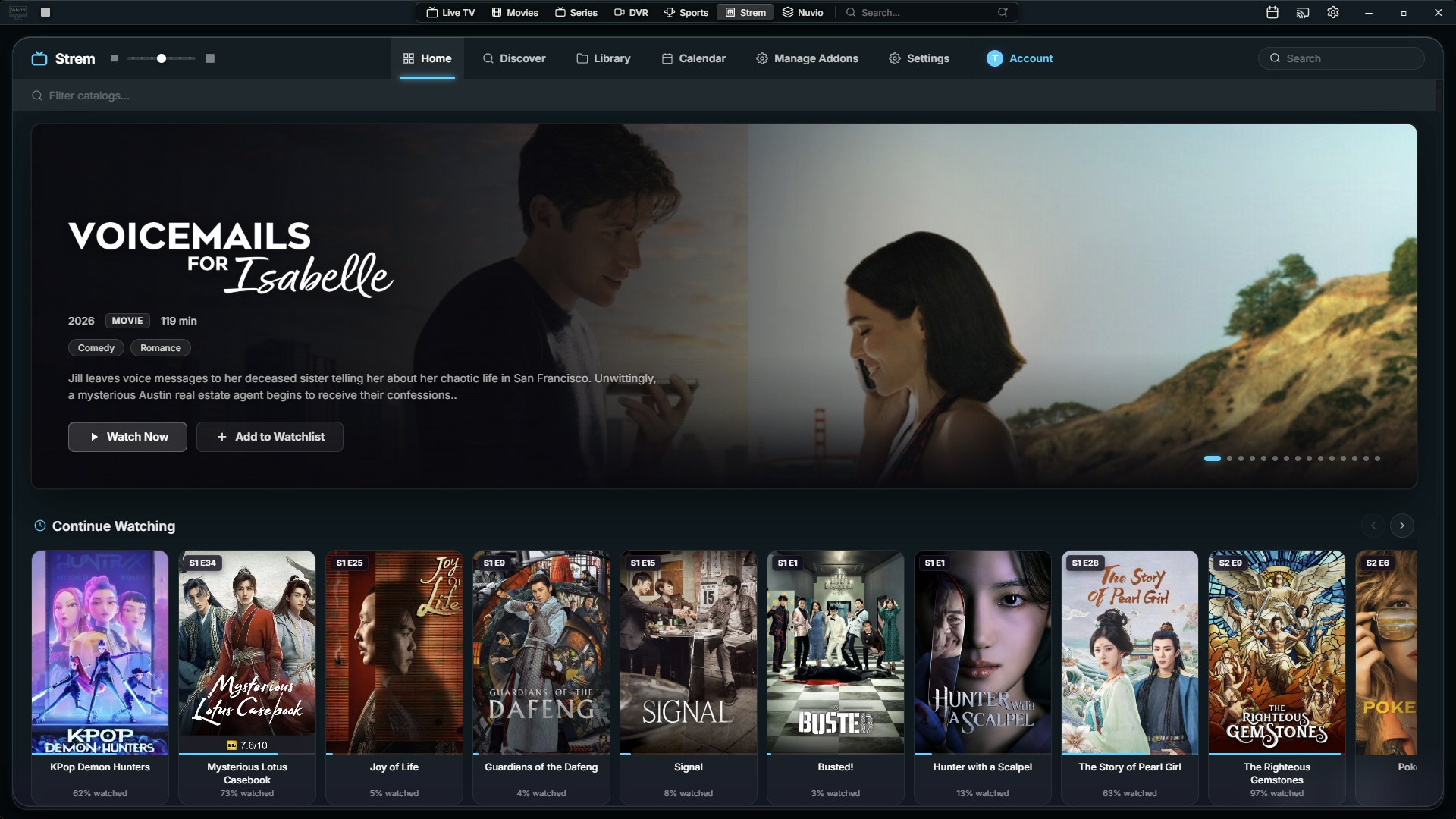
| Watchlist Option with autoswitch | Strem View |
 |
 |
| Sports View | Themes |
 |
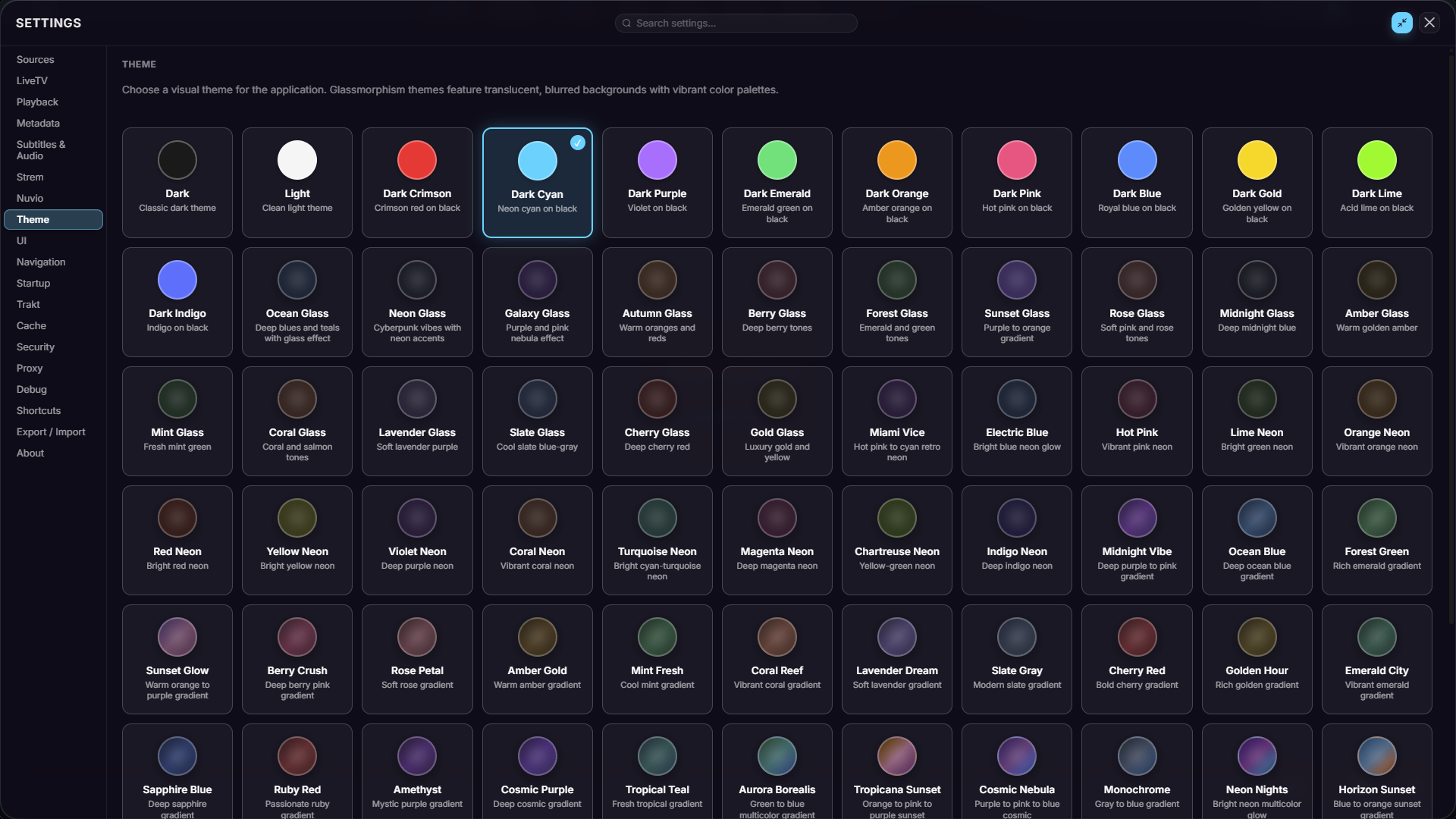 |
| Multiview Menu | PiP View |
 |
 |
| Multiview 2x2 | DVR Page |
 |
 |
- M3U, Xtream Codes & Stalker Support - multiple EPG sources supported
- Stremio Integration & Addons support - Integrated optional stremio login to sync watchlist/addons or add addons directly
- Nuvio Integration - Integrated login for 2 way sync with watchlist, addons, plugins, collections, settings
- Jellyfin Integration (Beta) - Connect your personal Jellyfin server to browse and stream your libraries
- Playlist Editor - Create Custom playlist from your sources, move categories/channels from one into another
- Grid-style EPG - with an integrated preview window
- Catchup & Cache Time Shift - instant replays on supported channels
- Automatic Stream Fallback - detects and switches away from stalled or dead streams
- Smart Auto-Group for Failover - Auto-cluster duplicate channels into failover groups, with Always Play Primary
- Controllers & Phone Remote - Full gamepad support with spatial navigation, remappable buttons, and chord combos. Use your phone as a remote with QR pairing (guide browser, sports, and multiview tabs)
- Channel Stream Probe & IPTV Checker - Bulk stream health checks (alive/dead/geoblocked/DRM), auto-fill resolution/FPS/bitrate badges, one-click disable of dead channels, and sort groups by quality
- Local Library - Add local movie/series folders auto-matched with TMDB metadata, with watch progress and backup inclusion
- Sports Team Channel Linking - Link teams to channels for one-tap game watching, with auto-linking and backup streams with auto-swap
- Simkl, Discord & OpenSubtitles Integration - Scrobble to Simkl, show what you're watching on Discord, and download subtitles from OpenSubtitles
- 24 UI Languages - Full localization support
- Transparent EPG Guide, Category Folders & Logo Editor - Translucent overlay guide, folder grouping of categories, and bulk logo customization
- Sports Tab - real-time scores and detailed game stats with instant search to find channel
- Cast to TV - Cast to any supported TV devices on your local network
- Export Playlist to M3U - Export any modifications you've done into an .m3u
- Trakt integration - Scrobble directly to your Trakt account
- Widget System - Display live sports score in overlay
- VOD Support - rich metadata via TMDB and RPDB with saved progress
- Subtitle Integration - Subsource support for VODs
- Popout Player & External player - play streams in a seperate MPV window or your choice in an external player
- Backup DNS/URLs - automatically swaps when the current source fails
- Favorites & Custom Groups - pull from any source
- Channel Management - rename, hide, and sort categories and channels freely
- EPG Editor - change tvg-id, logos, or auto-match to a different entry
- Embedded MPV Playback - with support for custom parameters
- Multiview - resizable PiP, also supporting up to four simultaneous streams in a 2x2 grid
- Channel & EPG Search - instant results with advanced filtering options
- Watchlist & Reminders - auto-swaps to a channel when a program goes live
- Built-in DVR - record any stream or schedule for later
- TV Calendar - powered by TVMaze for auto-setting reminders on upcoming shows
- Reprogrammable Hotkeys - Fast navigation with ease of access
- 40+ Built-in Themes - something for every preference
Building from Source
- Node.js 20.x or higher
- pnpm 9.x or higher — install with
npm install -g pnpm(the project specifies9.1.0via thepackageManagerfield; if you have corepack enabled, the correct version is used automatically) - Rust (latest stable) — required for the Tauri backend. Install via rustup
- Git
Windows additional requirements:
- Microsoft Edge WebView2 — required for Tauri's rendering engine
- Visual Studio 2022 with C++ build tools
- Windows 10 SDK
1. Clone the repository
git clone https://github.com/tbeezy/ynotv.git
cd ynotv
2. Install dependencies
pnpm install3. Download mpv sidecar
FFmpeg is downloaded automatically during the build step, but mpv (and yt-dlp) must be downloaded manually first:
bash scripts/download-mpv-tauri.sh(Optional) If you also want to pre-download FFmpeg manually:
cd packages/app
node scripts/download-ffmpeg.js
cd ../..
4. Run in development mode
pnpm devThis starts both the Vite UI dev server and the Tauri app concurrently.
5. Build for production
pnpm tauri buildBuild output is located at:
packages/app/src-tauri/target/release/bundle/
Recovery builds: if a user's database is too large and the app fails to start, there is a one-off database recovery screen (export → rebuild → import) that ships disabled by default. See docs/recovery-build.md for how to enable it.
Data & File Locations
%APPDATA%\com.ynotv.app\
├── settings.json          # Sources, shortcuts, and preferences
└── .windows-state.json    # Window size and position
%LOCALAPPDATA%\com.ynotv.app\app.db
The database stores channels, categories, EPG programs (7-day window), VOD movies and series, watchlist entries, reminders, DVR schedules and recordings, channel metadata, and source sync timestamps.
Debug logging can be enabled in Settings > Debug. Log output is written to:
%APPDATA%\com.ynotv.app\logs\app.log
The recording directory is configurable in Settings > DVR. The default location is:
%USERPROFILE%\Videos\ynoTV Recordings\
Keyboard Shortcuts
All shortcuts are fully customizable in Settings > Shortcuts.
| Action | Default |
|---|---|
| Play / Pause | Space |
| Seek Forward | Right Arrow |
| Seek Backward | Left Arrow |
| Mute / Unmute | M |
| Select Subtitle (Modal) | J |
| Select Audio Track (Modal) | A |
| Toggle Fullscreen | F |
| Replay Last Stream | Q |
| Action | Default |
|---|---|
| Channel Up | Up Arrow |
| Channel Down | Down Arrow |
| Action | Default |
|---|---|
| Toggle Live TV (Guide + Categories) | L |
| Toggle Guide | G |
| Toggle Categories | C |
| Toggle DVR | R |
| Toggle Sports | U |
| Toggle TV Calendar | T |
| Toggle Settings | , |
| Toggle Jellyfin | K |
| Show / Hide Stats | I |
| Focus Search | S |
| Toggle EPG View Layout | E |
| Close / Back | Esc |
| Action | Default |
|---|---|
| Layout: Main View | 1 |
| Layout: Picture in Picture | 2 |
| Layout: Big + Bottom Bar | 3 |
| Layout: 2×2 Grid | 4 |
Built with the help of AI.
ynoTV is a media player only. It does not provide, host, distribute, or facilitate access to any streaming services, broadcast content, channel lists, or IPTV subscriptions of any kind.
All content, streams, and playlists are sourced, configured, and managed solely by the end user. The developers have no knowledge of, control over, or responsibility for any third-party content accessed through the application.
Users are solely responsible for ensuring that any content they access complies with the laws and regulations applicable in their jurisdiction. The developers do not condone or support the use of this application to access unlicensed or unauthorized content.
Metadata displayed within the application is sourced from publicly available third-party databases including TVMaze and TMDB. ynoTV does not claim ownership of this metadata.
ynoTV builds on the following open source projects and services:
- sbtlTV — original foundation
- Tauri — desktop application framework
- mpv — video playback engine
- FFmpeg — recording and thumbnail generation
- TVMaze — TV schedule and show metadata
- TMDB — movie and series metadata
- Trakt.tv - Scrobble support & catalogs
- Stremio — for building an open addon ecosystem that makes third-party integration possible
- Nuvio — for creating a fantastic open source media platform and making their codebase publicly available
- Jellyfin — for their incredible open source media system and personal streaming platform
- Harbor — Stremio integration and various features
- Simkl — scrobbling support for movies and series
- OpenSubtitles — subtitle downloads in the player
- SubSource — subtitle search for movies and series
- yt-dlp — YouTube trailer playback
- RatingPosterDB — rating badges on VOD posters